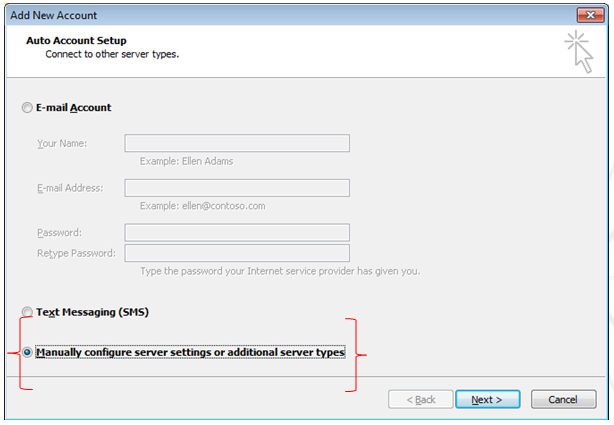
- Select on “Manually configure server settings” and click ‘Next’
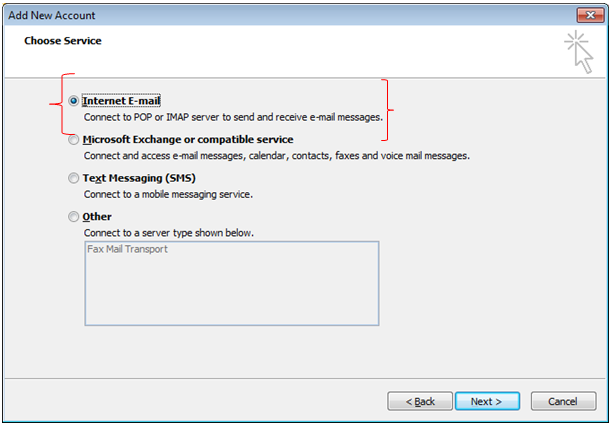
- Select on “Internet E-mail” and click ‘Next’.
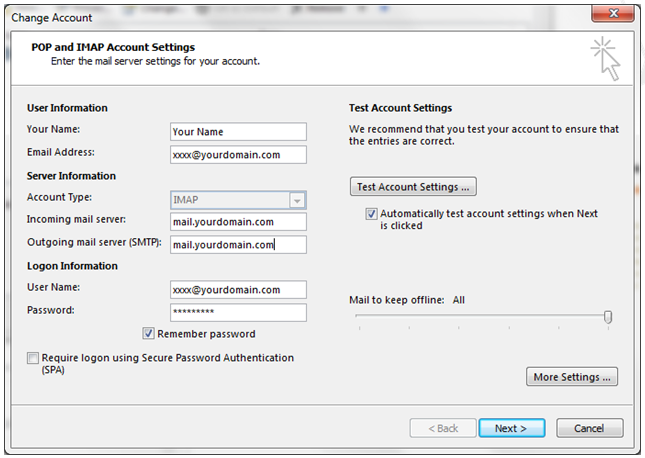
- Fill up the following information and click on “More Settings”

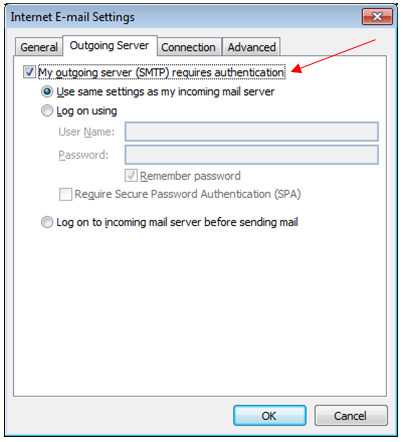
- At outgoing server tab, tick the “My outgoing server (SMTP) requires authentication” box
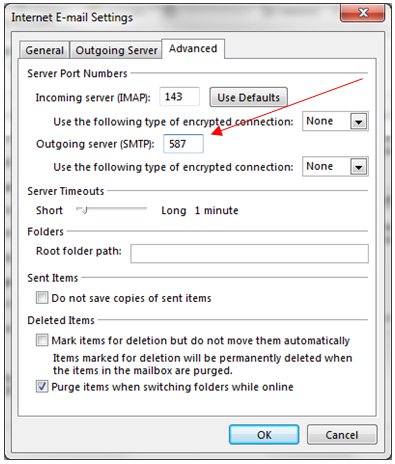
- At the advanced tab change the “Outgoing server (SMTP) to 587” and click on OK
- Finally click ‘Next’
- Send test email to support@chakrasuria.com

Customer Knowledge Center
Welcome
For support issues please email support@vxsgroup.com
Leave A Comment?