
Answered/Offered Report
This report shows the details of how many call offered to agent and how many call answered by the agent. Data can be filtered on the basis of Agent name and date range.
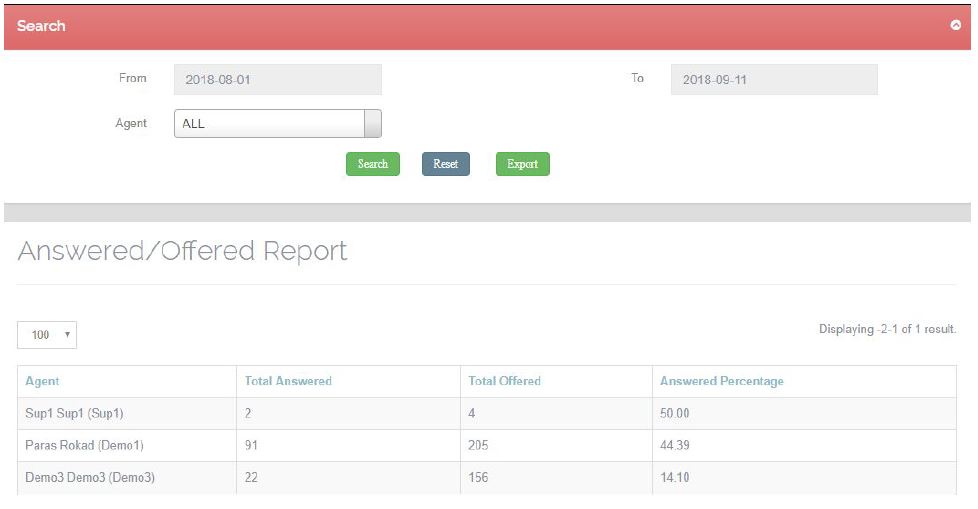
Click the ‘Reset’ button to show all the records, without any filter.
Exporting a report –
The whole report can be exported in a .xls format to the device by choosing the ‘EXPORT’ button in the search tab.
If the report is to be filtered by date range, agent name then the criteria has to be entered in the search tab and then export the report, which will export only the filtered report.
Leave A Comment?