
Email Template Group
The Email Template Group which have been added are listed on the page. To search for any particular Email Template Group, the filters in the first row of every column can be used.

Adding Email Template Group –
To add a new Email Template Group, click on “Add New” button on the page. It will open a create form.

Fill in the required details and click on create to add new Email Template Group.
Updating Email Template Group –
To update an Email Template Group, click on the little blue icon beside that particular Email Template Group on the main page. It will open an update form as below.
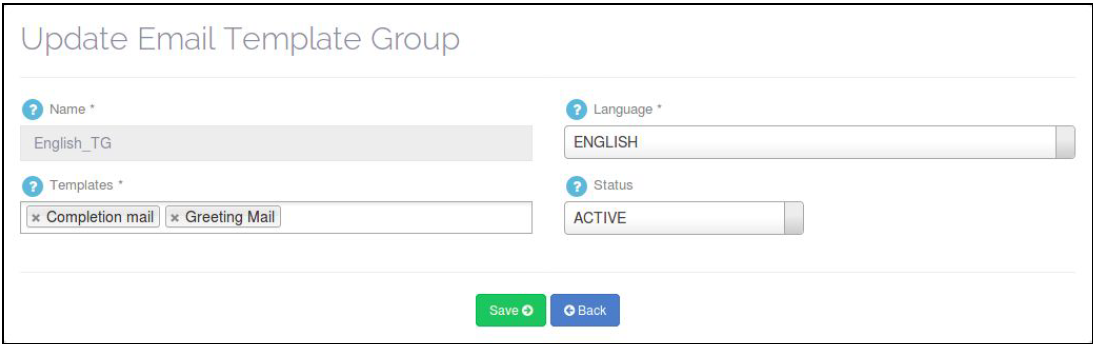
Make the required changes and click on “Save” to update an Email Template Group.
Deleting Email Template Group –
To delete an Email Template Group, goto the Manage Email Template Group page and click on the little Red icon.
Note that here you can delete only those Email Template Group which are not mapped with any Multimedia campaign and Call Campaign.
Leave A Comment?