
SMS Channel
Tenant has Inbound SMS Channel access, only if SMS license is there and it will create SMS channel. From this page you can create inbound and outbound SMS channels.
The SMS channels have been added are listed on this page. Any particular SMS channels can be searched using the filters provided in the first row of each column respectively.
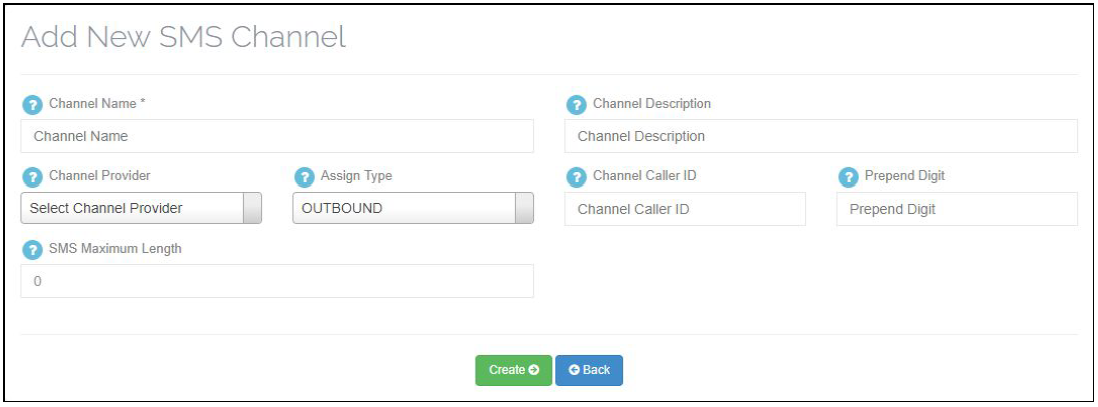
Apart from the self explanatory fields, the other fields are explained below.
Channel name – Name of the SMS channels.
Channel Description – Explain the description of the channels.
Channel Provider – Select the SMS channel provider. We support three providers CliSMS,Telnyx,Twilio.
Assign Type – Select the type of the SMS channel, it should be inbound and outbound.
Channel Caller ID – Number which will be used to send messages to customer and they need to give reply on that number.
Prepend Digit – This field is used to specify the digits that will be prepended or added in the front of the number.
SMS Maximum Length – Define maximum length for the SMS upto that number of character user can add.( Here 0 means unlimited )
Updating a SMS Channels –
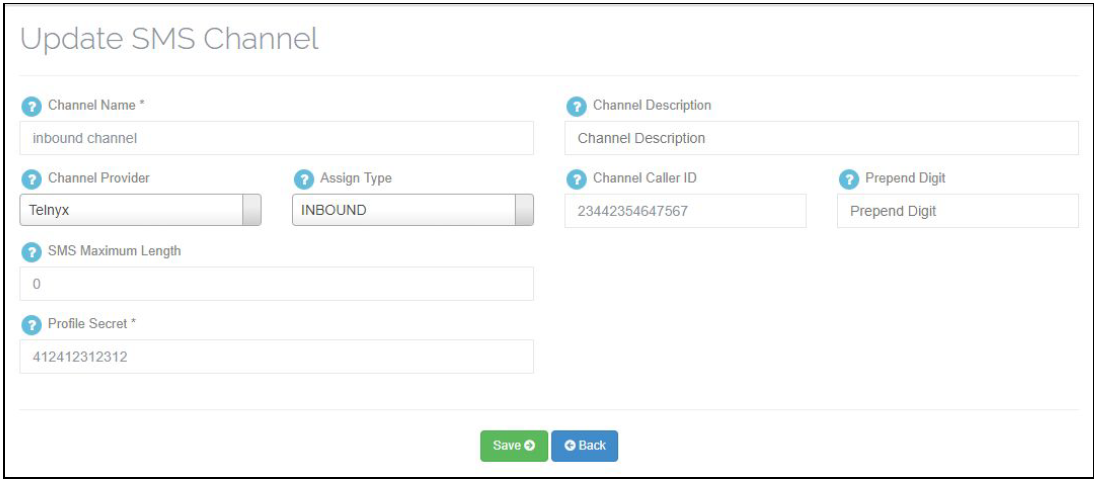
To update a SMS Channel , just goto manage SMS Channel menu and click on little blue icon and it will display a form like create form. Update the related changes and click on save button otherwise click on back button.
Deleting a SMS Channels –
To delete any SMS Channel click on delete button beside that particular SMS Channel. You can delete only those SMS Channel which is not mapped with any SMS Campaign.
Leave A Comment?